In today’s fast-evolving digital economy, businesses are increasingly turning to Finance SaaS (Software as a Service) solutions to streamline operations, improve financial visibility, and drive smarter decision-making. From startups to large enterprises, adopting cloud-based financial systems is no longer optional—it’s a competitive necessity.
However, implementing Finance SaaS is not just about subscribing to a tool. It requires strategic planning, organizational alignment, and a clear roadmap to ensure a successful transition. In this comprehensive guide, you’ll learn exactly how to implement Finance SaaS in your organization step by step.
What Is Finance SaaS?
Finance SaaS refers to cloud-based financial software that helps organizations manage accounting, billing, payroll, forecasting, compliance, and more. Unlike traditional on-premise systems, SaaS platforms are hosted online and accessed via the internet.
Popular Finance SaaS platforms include:
- QuickBooks Online
- Xero
- NetSuite
- FreshBooks
These tools offer scalability, automation, and real-time data access—making them ideal for modern businesses.
Why Implement Finance SaaS?
Before diving into implementation, it’s important to understand the benefits:
1. Real-Time Financial Insights
Finance SaaS provides up-to-date dashboards, allowing decision-makers to monitor cash flow, expenses, and revenue instantly.
2. Cost Efficiency
No need for expensive hardware or IT maintenance—subscription-based pricing reduces upfront costs.
3. Automation
Tasks like invoicing, payroll, and reporting are automated, reducing human error.
4. Scalability
As your business grows, SaaS solutions can easily scale with your needs.
5. Remote Accessibility
Teams can access financial data from anywhere, supporting remote and hybrid work environments.
Step-by-Step Guide to Implement Finance SaaS
Step 1: Define Your Business Needs
Start by identifying your organization’s financial challenges and goals.
Ask questions like:
- Do you need better cash flow tracking?
- Are manual processes slowing you down?
- Do you need multi-currency or global compliance features?
Create a list of must-have features such as:
- General ledger
- Accounts payable/receivable
- Budgeting and forecasting
- Tax compliance
- Integration with other tools
This clarity will guide your SaaS selection.
Step 2: Choose the Right Finance SaaS Platform
Selecting the right platform is critical. Not all tools are created equal.
Consider the following factors:
1. Business Size Compatibility
- Small businesses → FreshBooks
- Medium-sized businesses → Xero
- Large enterprises → NetSuite
2. Features & Functionality
Ensure the platform covers your current and future needs.
3. Integration Capabilities
Your Finance SaaS should integrate with:
- CRM systems
- Payment gateways
- ERP systems
- Payroll tools
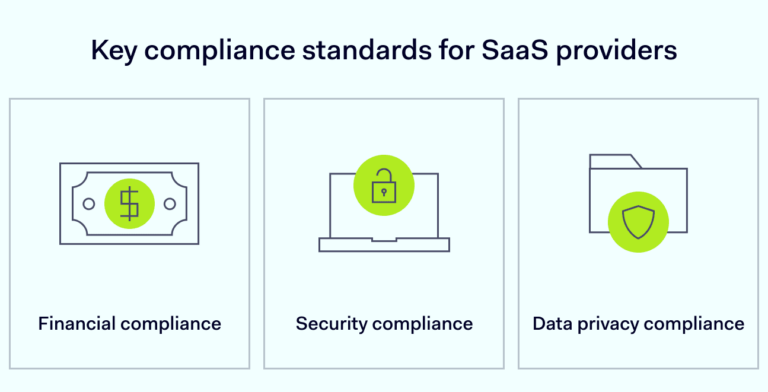
4. Security & Compliance
Look for:
- Data encryption
- Compliance with standards (e.g., GDPR, SOC 2)
- Role-based access control
5. Pricing Structure
Understand subscription tiers and hidden costs.
Step 3: Build an Implementation Team
A successful rollout requires collaboration across departments.
Your team should include:
- Finance manager or CFO
- IT specialist
- Operations manager
- External consultant (optional)
Assign a project leader to oversee implementation and ensure accountability.
Step 4: Plan the Implementation Process
Create a structured implementation roadmap.
Key Phases:
- Planning
- Data migration
- Configuration
- Testing
- Training
- Go-live
Set realistic timelines and milestones to avoid delays.
Step 5: Data Migration
One of the most critical steps is transferring your existing financial data into the new system.
Best Practices:
- Clean your data before migration
- Remove duplicates and outdated records
- Map old data fields to new system fields
- Perform test migrations
Ensure data accuracy to avoid future discrepancies.
Step 6: Customize and Configure the System
Finance SaaS platforms allow customization based on your workflows.
Configure:
- Chart of accounts
- Tax settings
- Invoice templates
- User roles and permissions
Tailor the system to match your business processes—not the other way around.
Step 7: Integrate with Existing Systems
To maximize efficiency, integrate your Finance SaaS with other tools.
Examples:
- CRM (customer data sync)
- E-commerce platforms
- Payment gateways
- HR and payroll systems
Integration eliminates data silos and ensures seamless operations.
Step 8: Train Your Team
Even the best software will fail without proper user adoption.
Training Tips:
- Conduct hands-on workshops
- Provide user manuals and video tutorials
- Offer ongoing support
Encourage employees to ask questions and practice using the system.
Step 9: Test Before Going Live
Before full deployment, conduct thorough testing.
Check:
- Data accuracy
- System performance
- Integration functionality
- User workflows
Run parallel systems if needed to ensure everything works correctly.
Step 10: Go Live and Monitor Performance
Once testing is complete, launch the system.
Post-Launch Actions:
- Monitor system performance
- Track user adoption
- Identify and fix issues quickly
Set KPIs such as:
- Time saved on financial processes
- Error reduction rate
- Reporting accuracy
Common Challenges and How to Overcome Them
1. Resistance to Change
Employees may hesitate to adopt new systems.
Solution:
Provide training, communicate benefits, and involve them in the process.
2. Data Migration Errors
Incorrect data can cause serious financial issues.
Solution:
Double-check data and conduct multiple test runs.
3. Integration Issues
Systems may not sync properly.
Solution:
Work with IT experts or use middleware solutions.
4. Budget Overruns
Unexpected costs can arise.
Solution:
Plan your budget carefully and include contingency funds.
Best Practices for Successful Implementation
1. Start Small
Begin with core features, then expand gradually.
2. Focus on User Experience
Choose a platform with an intuitive interface.
3. Prioritize Security
Protect sensitive financial data at all times.
4. Continuously Optimize
Regularly review and improve your system usage.
5. Partner with Experts
Consider working with consultants for complex implementations.
Real-World Example
Imagine a mid-sized company using spreadsheets for accounting. As the business grows, errors increase, and reporting becomes slow.
After implementing Xero:
- Financial reports are generated instantly
- Manual errors are reduced
- Cash flow visibility improves
- Decision-making becomes faster
This transformation highlights the power of Finance SaaS.
Future Trends in Finance SaaS
1. AI and Automation
AI-driven insights will enhance forecasting and decision-making.
2. Blockchain Integration
Improved transparency and security in financial transactions.
3. Advanced Analytics
Predictive analytics will become standard.
4. Mobile-First Platforms
Finance management on mobile devices will increase.
Final Thoughts
Implementing Finance SaaS in your organization is a strategic move that can transform your financial operations. However, success depends on careful planning, the right tools, and strong team collaboration.
By following the steps outlined in this guide—defining your needs, selecting the right platform, migrating data, training your team, and continuously optimizing—you can ensure a smooth and effective transition.
In a world where speed, accuracy, and data-driven decisions are crucial, Finance SaaS is not just an upgrade—it’s a necessity.